bg2 engine and React
We are going to see how to build applications with bg2 engine by adding a user interface with React.
Although we are going to focus on bg2 engine and React, the case described here applies to other 3D rendering libraries and to other UI libraries different from React.
To follow this chapter it is important to have some basic prior knowledge with React, at least knowing how to create a basic application, and being familiar with the use of the useState, useEffect and useRef hooks.
1. Problem description
Section titled “1. Problem description”At first glance it may seem that combining bg2 engine with React is trivial: it is enough to create a <canvas> inside a component and use its context to initialize the engine.
When we use a canvas in the browser, the drawing APIs are available through the canvas context:
const canvas = document.getElementsByTagName("canvas")[0];const ctx = canvas.getContext("webgl");
ctx.viewport(0, 0, 800, 600);
The WebGL context will be valid as long as the HTMLCanvasElement object exists. At the moment when the canvas disappears from the DOM, the drawing buffer associated with the context is lost, and the browser invalidates all resources stored in GPU memory (buffers, textures, shader programs, etc.).
Now we are going to assume that we have a React component that creates a canvas to obtain its context and initialize bg2 engine:
export default function MyBg2eRenderer() {  const canvasRef = useRef();
  useEffect(() => {    if (!canvasRef.current) return;    const canvas = new Canvas(canvasRef.current, new WebGLRenderer());    const appCtrl = new MyAppCtrl();    const mainLoop = new MainLoop(canvas, appCtrl);    mainLoop.run(); // Execution in background of the main loop  }, []);
  return <canvas ref={canvasRef}></canvas>}
In this case, the engine is initialized correctly and the main loop starts executing.
The problem appears when the component’s lifecycle is dependent on React’s declarative system.
React does not work directly on the DOM, but it builds an internal representation (virtual DOM) and synchronizes changes with the real DOM when it deems necessary. As a consequence, React is free to mount and unmount components at any time as part of its reconciliation process.
This has important implications for WebGL applications.
2. React can destroy the canvas without us knowing
Section titled “2. React can destroy the canvas without us knowing”The useEffect(..., []) hook does not mean that the code is executed once during the entire life of the application, but once for each component mount.
If the component is unmounted, React will remove from the DOM all nodes that belong to it, including the <canvas>. This can happen, for example, when:
- the application routing changes
- a rendering condition changes (
{showCanvas && <Renderer />}) - a remount is forced via
key - Suspense or concurrent transitions are used
- a hot reload is performed in development
- the application is running under
React.StrictMode
This last case is especially important.
In development mode, React 18 deliberately executes the following cycle to detect effects with uncontrolled side-effects:
mount → ejecutar useEffect → unmount → mount → ejecutar useEffect
From the point of view of bg2 engine, this implies that:
- The engine is initialized and GPU resources associated with the WebGL context are created
- React unmounts the component
- The
<canvas>disappears from the DOM - The browser invalidates the WebGL context
- All GPU resources enter an invalid state
- bg2 engine continues executing its
mainLoopwithout knowing that the context has been lost - React remounts the component
- A new engine instance is created with a new WebGL context
At this point we have two engines alive:
- one associated with an invalid WebGL context
- another associated with the new canvas
The first instance continues trying to render against a lost context, which can produce errors like:
INVALID_OPERATIONCONTEXT_LOST_WEBGL- black rendering
- texture corruption
- silent driver failures
From the application’s perspective, it seems that the WebGL context has been spontaneously invalidated.
3. The background conflict: declarative vs imperative lifecycle
Section titled “3. The background conflict: declarative vs imperative lifecycle”The real problem is not in the use of the DOM, but in the decoupling between React’s lifecycle and bg2 engine’s lifecycle.
React follows a declarative model:
mount → update → unmount
and expects to be able to create and destroy DOM nodes freely.
bg2 engine, on the other hand, follows a persistent imperative model:
init once → run → destroy manually
The engine assumes that the canvas that acts as rendering surface will exist throughout the application’s lifetime, since over it GPU resources that cannot be recreated automatically without explicit coordination are stored.
Delegating the ownership of the <canvas> to React implies that its lifecycle now depends on a system that can destroy it without bg2 engine having awareness of it.
4. Solution: separate the canvas lifecycle
Section titled “4. Solution: separate the canvas lifecycle”To avoid this problem, the <canvas> should be declared outside the React component tree, for example in the main HTML file:
<body> <canvas id="bg2e-canvas"></canvas> <div id="root"></div></body>In this way:
- React has no control over the canvas lifecycle
- the node will not be unmounted during reconciliation
- the WebGL context remains stable
- bg2 engine maintains ownership of the render target
Furthermore, we can store a persistent reference to the mainLoop using useRef. If the reference already exists, we skip the engine initialization:
export default function MyBg2eRenderer() {  const mainLoopRef = useRef<MainLoop | null>(null);
  useEffect(() => {    if (mainLoopRef.current) return;
    const canvasElement = document.getElementById("bg2e-canvas");    if (!canvasElement) return;
    const canvas = new Canvas(canvasElement, new WebGLRenderer());    const appCtrl = new MyAppCtrl();    const mainLoop = new MainLoop(canvas, appCtrl);
    mainLoop.run();    mainLoopRef.current = mainLoop;  }, []);
  return null;}
In this way:
- bg2 engine is initialized only once
- the
mainLoopremains active regardless of React’s lifecycle - the WebGL context is not invalidated when unmounting UI components
- React can be used as a declarative UI layer over a persistent imperative rendering subsystem
In the following sections we will see how to correctly structure this integration.
5. The useBg2e hook
Section titled “5. The useBg2e hook”It is perfectly valid to use code like the previous one to integrate bg2 engine in a React application, but it is not necessary: bg2 engine includes a React integration utility package that provides a hook to initialize the application easily. In this section we are going to create an application from scratch using this hook.
Create an application with Vite, but in this case you must indicate that you will use React (or Preact) instead of Vanilla. Use TypeScript as language. The application in the example code is named react_integration
Note: bg2 engine React utilities are only available for TypeScript.
5.1. Creating the project
Section titled “5.1. Creating the project”We are going to repeat the same project as in the previous lesson, so the first thing you have to do is copy the same resources we used in the previous project’s public folder, install bg2e-js and vite-plugin-static-copy and update the vite.config.js file to compile bg2 engine.
vite.config.js:
import { defineConfig } from 'vite'import react from '@vitejs/plugin-react'import { viteStaticCopy } from 'vite-plugin-static-copy'
// Path to bg2io packageconst bg2ioPath = './node_modules/bg2io/';
// Path to copy the bg2io WebAssembly resourcesconst bg2ioDst = 'bg2e'
// https://vite.dev/config/export default defineConfig({  plugins: [    react(),    viteStaticCopy({      targets: [        {          src: `${bg2ioPath}/bg2io.js`,          dest: bg2ioDst        },        {          src: `${bg2ioPath}/bg2io.wasm`,          dest: bg2ioDst        }      ]    })  ],  optimizeDeps: {    esbuildOptions: {      loader: {        ".glsl": "text",      },    },  },  assetsInclude: ["**/*.glsl"]})
NOTE: Vite configuration in version 7 for TypeScript is much more restrictive. To avoid compilation errors, delete the files tsconfig.app.json and tsconfig.node.json, and replace the content of the tsconfig.ts file with the following:
tsconfig.json:
{  "compilerOptions": {    "tsBuildInfoFile": "./node_modules/.tmp/tsconfig.app.tsbuildinfo",    "target": "ES2022",    "useDefineForClassFields": true,    "lib": ["ES2022", "DOM", "DOM.Iterable"],    "module": "ESNext",    "types": ["vite/client"],    "skipLibCheck": true,
    /* Bundler mode */    "moduleResolution": "bundler",    "allowImportingTsExtensions": true,    "verbatimModuleSyntax": true,    "moduleDetection": "force",    "noEmit": true,    "jsx": "react-jsx",
    /* Linting */    "strict": true,    "forceConsistentCasingInFileNames": true,  },  "include": ["src"]}
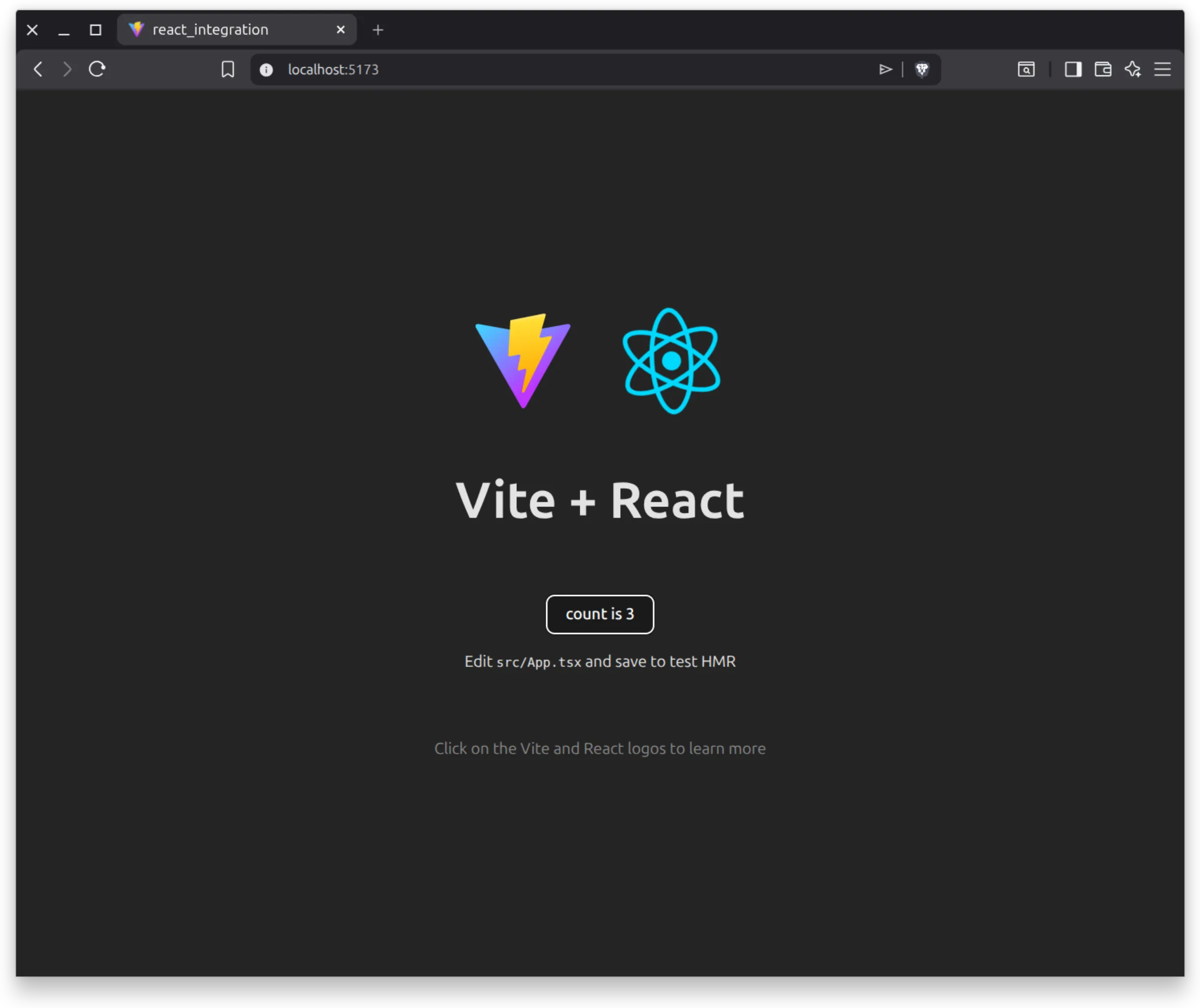
Run npm run dev to make sure everything is correct. You will see the Vite + React template application:
5.2. AppController
Section titled “5.2. AppController”At this point we are not going to see anything more specific to bg2 engine, so we won’t lose much time in implementing the example application: create an AppController.ts file, and copy inside it the code from the previous example. Then delete the initialization section (the entire block at the end, in window.onload). After deleting the window.onload section you will have several unused imports, so delete them. Finally, export the class so you can import it later from the React component. At the end, the code that should remain to you will be similar to this:
import SceneAppController from "bg2e-js/ts/render/SceneAppController.ts";import Camera, { OpticalProjectionStrategy } from "bg2e-js/ts/scene/Camera.ts";import SmoothOrbitCameraController from "bg2e-js/ts/scene/SmoothOrbitCameraController.ts";import Node from "bg2e-js/ts/scene/Node.ts";import Transform from "bg2e-js/ts/scene/Transform.js";import Drawable from "bg2e-js/ts/scene/Drawable.js";import Mat4 from "bg2e-js/ts/math/Mat4.ts";import { createSphere, createPlane } from "bg2e-js/ts/primitives/index.ts";import Material from "bg2e-js/ts/base/Material.ts";import Color from "bg2e-js/ts/base/Color.js";import Light from "bg2e-js/ts/base/Light.js";import LightComponent from "bg2e-js/ts/scene/LightComponent.js";import Texture from "bg2e-js/ts/base/Texture.js";import Vec from "bg2e-js/ts/math/Vec.js";import EnvironmentComponent from "bg2e-js/ts/scene/EnvironmentComponent.js";import type PolyList from "bg2e-js/ts/base/PolyList.js";import FindNodeVisitor from "bg2e-js/ts/scene/FindNodeVisitor.js";
export default class MyAppController extends SceneAppController {  ... esta parte es idéntica a MyAppController del ejemplo anterior}
5.2. Adding the canvas and loading bg2 engine
Section titled “5.2. Adding the canvas and loading bg2 engine”In the Vite template we have on the one hand the main.tsx file, where the App component is created and React is initialized, and on the other hand the application component.
To initialize bg2 engine we will use the application component App, but as we have seen, we cannot create the canvas inside the component, since bg2 engine’s lifecycle is not compatible with React’s declarative lifecycle. So the first thing we will do is add a canvas in the main index.html file. We have also added some styles so that the canvas occupies the entire screen:
<!doctype html><html lang="en"> <head> <meta charset="UTF-8" /> <link rel="icon" type="image/svg+xml" href="/vite.svg" /> <meta name="viewport" content="width=device-width, initial-scale=1.0" /> <title>react_integration</title> <style> #bg2eCanvas { position: fixed; top: 0; left: 0; width: 100%; height: 100%; } </style> </head> <body> <div id="root"></div> <canvas id="bg2eCanvas"></canvas> <script type="module" src="/src/main.tsx"></script> </body></html>To load the engine, we will go to the App.tsx file. We will make the background of the page the bg2 engine application, and in the foreground we will leave the Vite template.
First we need to import the AppController class we created before. We will also import WebGLRenderer and useBg2e from bg2 engine:
App.tsx
import { useState } from 'react'import reactLogo from './assets/react.svg'import viteLogo from '/vite.svg'import './App.css'
// Nuevos imports: nuestro AppController, WebGLRenderer y el hook useBg2eimport MyAppController from './AppController.ts'import WebGLRenderer from 'bg2e-js/ts/render/webgl/Renderer.js'import useBg2e from "bg2e-js/ts/react/useBg2e.ts";
function App() {  const [count, setCount] = useState(0);
  useBg2e(    "#bg2eCanvas",    WebGLRenderer,    MyAppController  );
  return (    <>      ... El resto del fichero se deja igual que en la plantilla de Vite
The useBg2e hook is very simple: it simply receives as a parameter a CSS query to obtain the canvas, the class of the rendering backend we want to use, and the class of the AppController. With this the hook will do the following:
-
It will search for an instance of mainLoop associated with
#bg2eCanvasthat might have been created before, if it exists, it will return it. -
If the main loop hasn’t been initialized, it will create a new instance associated with that canvas and save it in case the component remounts.
-
It will initialize the main loop and start execution
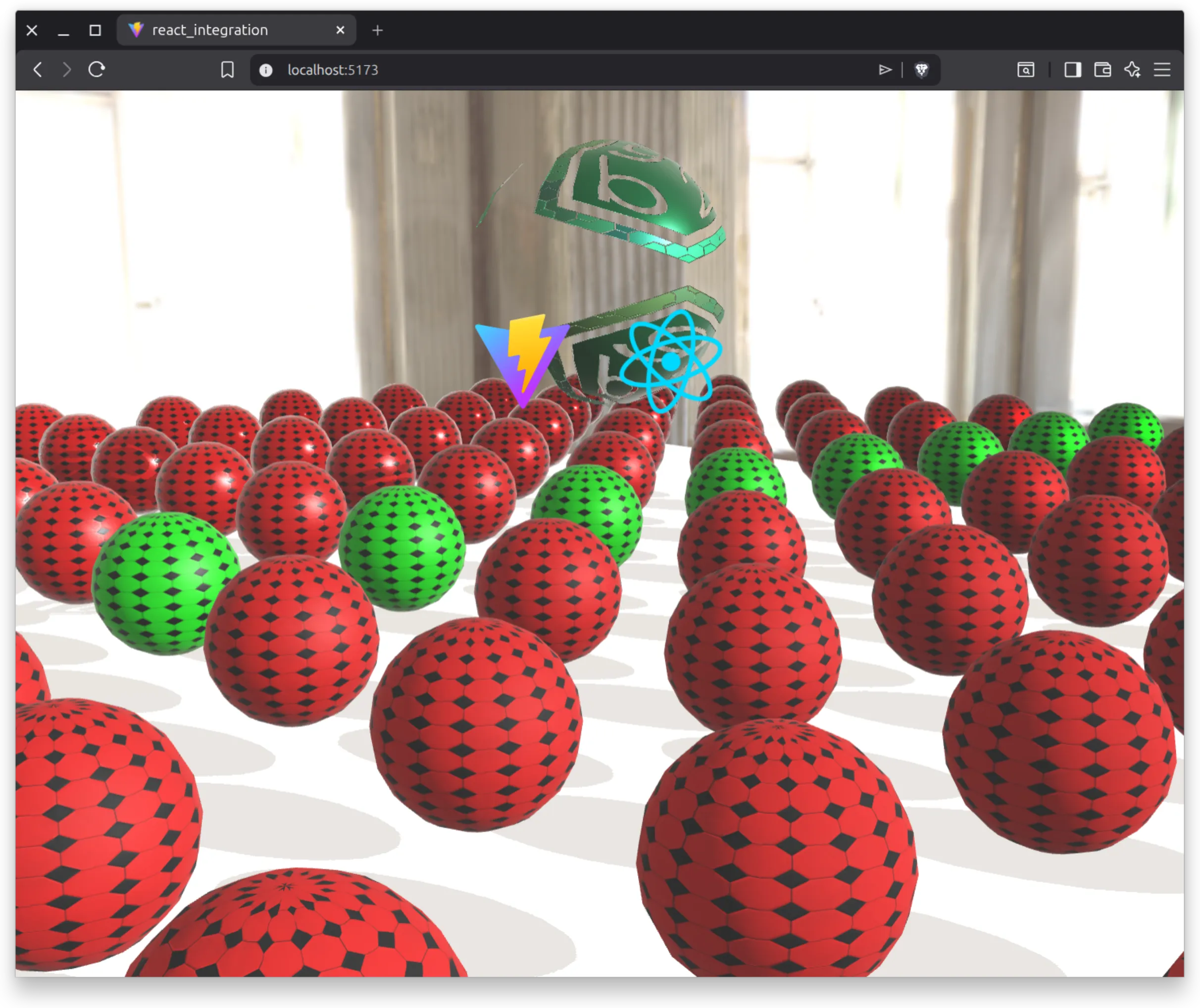
With this we already have the example working, but the result is a bit strange: we have to modify some things in the styles to combine the background canvas with the React application, and at the same time that we can send user events to the AppController while the component’s buttons work.
5.3. Adjusting the styles
Section titled “5.3. Adjusting the styles”The first thing we are going to do is make sure the interface stays on top of the canvas. The simplest way to do this is to increase its z-index. In the App.css file, add z-index: 1 to the style of element #root:
App.css
#root { max-width: 1280px; margin: 0 auto; padding: 2rem; text-align: center; z-index: 1;}With this the application is already shown, but some interface elements bother interaction with the scene. The simplest pattern to avoid this is the following:
-
Add
pointer-events: nonein the React application root -
Add
pointer-events: allin those components and elements that we want to respond to user interactions.
#root {  max-width: 1280px;  margin: 0 auto;  padding: 2rem;  text-align: center;  z-index: 1;  pointer-events: none;}
a,button {  pointer-events: auto;}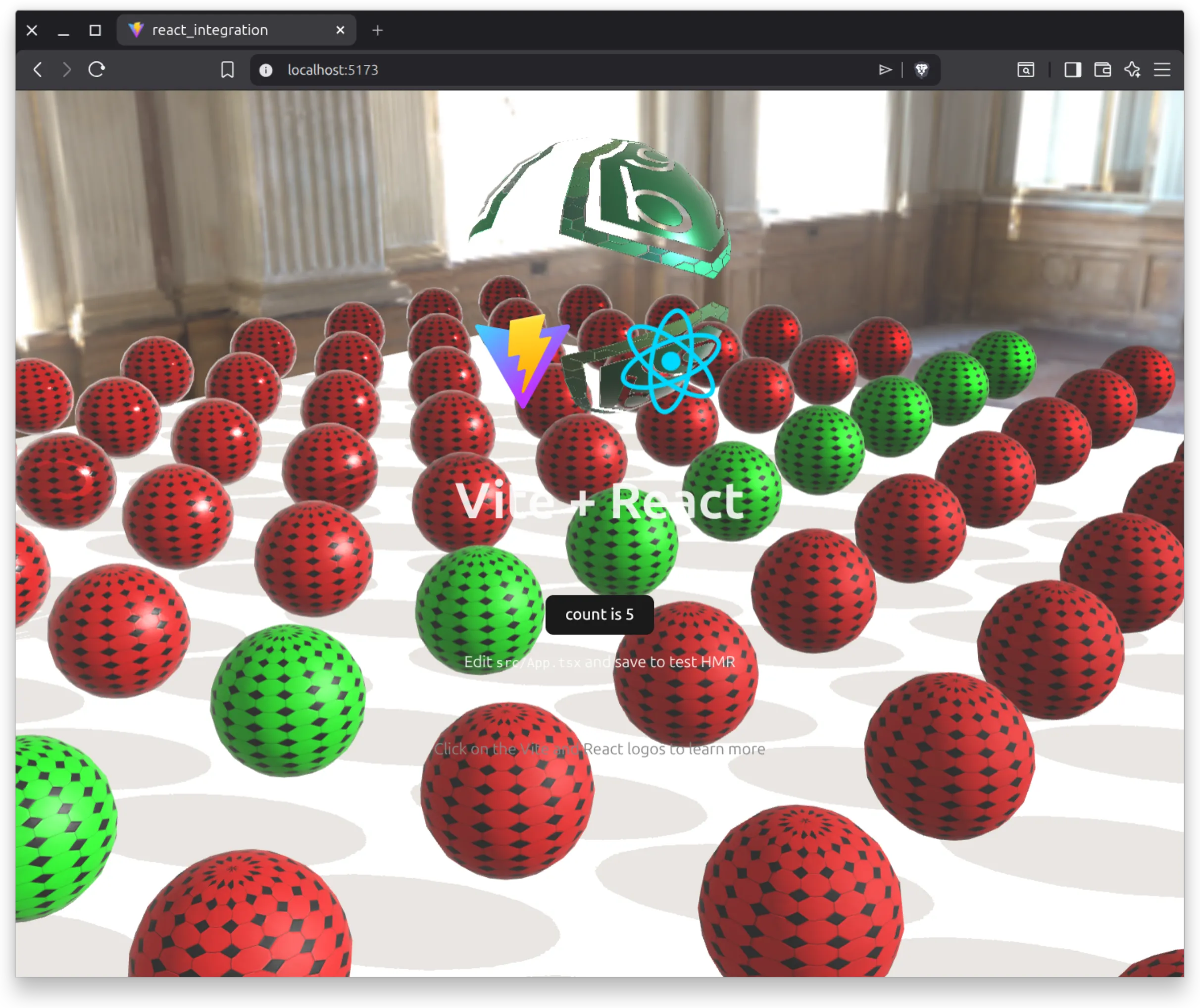
5.4. Load callback
Section titled “5.4. Load callback”Sometimes we want to know when bg2 engine has finished loading in the React part. For this, the useBg2e hook includes a callback that is called when the engine has finished loading.
Note: the callback is called when the engine has loaded, not when the scene has finished loading. It’s possible that the scene takes more time to load than the engine itself.
...import { FrameUpdate } from 'bg2e-js/ts/app/MainLoop.js'...

function App() {  const [count, setCount] = useState(0);  useBg2e(    "#bg2eCanvas",    WebGLRenderer,    MyAppController,    (_: Canvas, mainLoop: MainLoop) => {      mainLoop.updateMode = FrameUpdate.MANUAL;  });
  ...